Quick Answer
A quantity break is a price deal that lowers the cost per item when a shopper buys more of the same product. Example: 1 candle is $20, but 3 candles are $17 each. Stores use them to grow order size. Other names for the same idea: volume discount, bulk discount, and tiered pricing — they all mean "buy more, save more." You'll also hear quantity price breaks, price breaks for quantity, and quantity break pricing — every one of these terms describes the same buy-more-save-more deal.
Key Takeaways
- A quantity break = a lower price per item when you buy more of the same product.
- It's the same basic idea as a volume discount, bulk discount, or tiered pricing.
- Best for repeat-buy, stock-up products with a healthy margin (40%+).
- Three tiers works best, and a discount that starts around 10%.
- Keep your biggest discount ~15 points below your margin to protect profit.
- Shopify has no built-in pricing table, so most stores use an app.
You've seen quantity breaks before, even if you didn't know the name.
"Buy 2, get 10% off." "3 for $30." "Save more when you stock up." Those are all quantity breaks.
They're one of the easiest ways to sell more without finding new customers. And on Shopify, you can turn them on in a few minutes.
We build quantity break tools for Shopify stores, so this guide skips the hype. You'll get plain definitions, honest numbers, and the few rules that actually matter.
What Is a Quantity Break?
A quantity break is a lower price per item when someone buys more of it. That's the whole quantity breaks meaning in one sentence — and it's why they're also called quantity discounts.
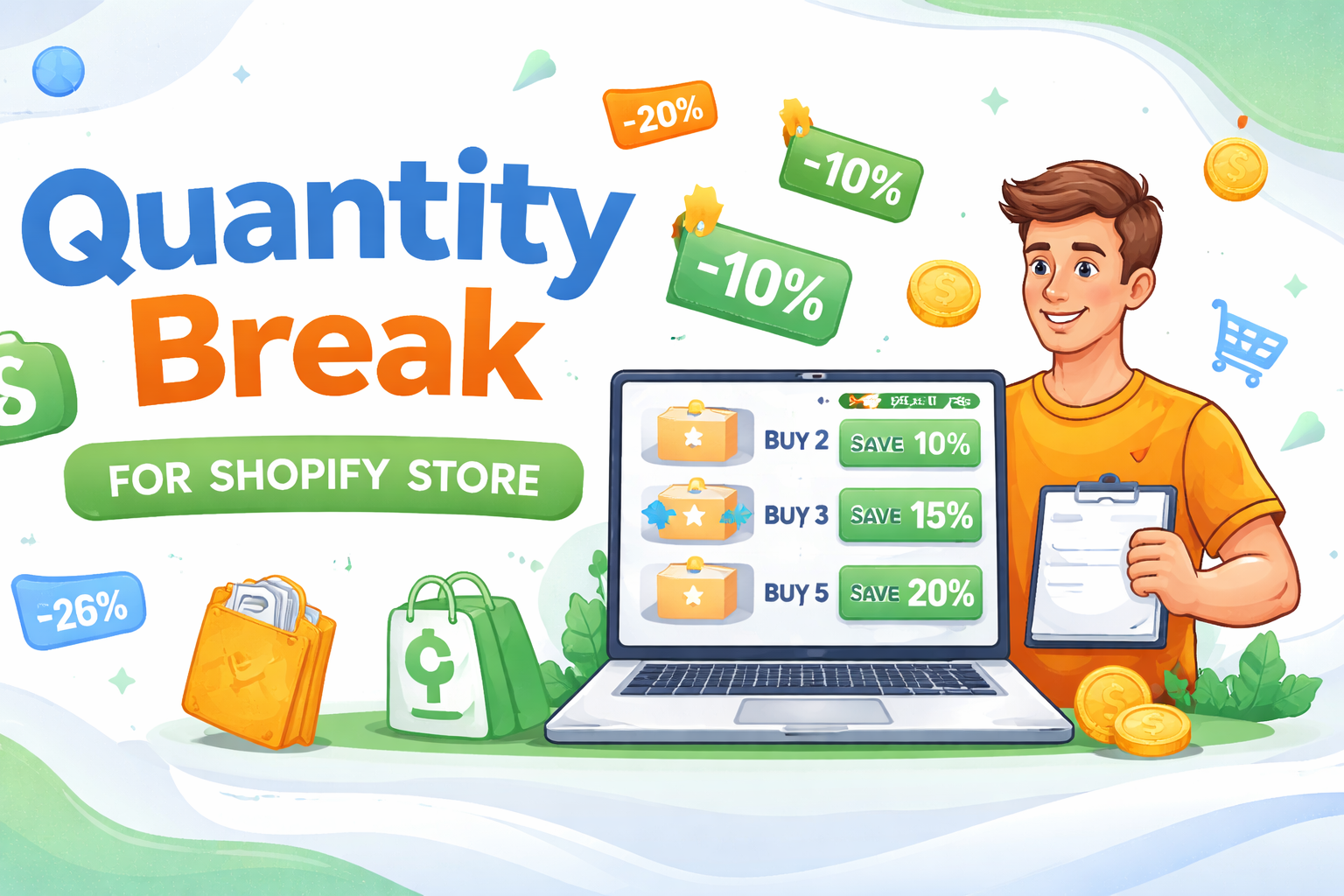
The shopper sees a small price menu on the product page. Each row is a "tier." The more they buy, the bigger the saving.
Here's a real example for a $20 candle:
| You buy | Price each | You save |
|---|---|---|
| 1 candle | $20.00 | — |
| 3 candles | $17.00 | 15% off |
| 5 candles | $16.00 | 20% off |
Same candle every time. The only thing that changes is the price per item as the shopper adds more to the cart. No coupon code to type. No math to do. The shopper just picks a tier.
When a quantity break is a good idea (and when it isn't)
It's a good fit when:
- People use the product up and reorder (coffee, soap, treats)
- You have room in your margin to share a little
- The deal is easy to see and easy to understand
It's a weak fit when:
- The product is a one-time, big buy (a single sofa)
- Your margin is razor thin
- The tiers are confusing or buried at the bottom of the page
Quantity Break vs. Volume Discount vs. Tiered Pricing
People mix these words up all the time. Here's the honest truth: for most shoppers, they mean the same thing — buy more, pay less per item.
"Quantity discount" is the big umbrella term. The rest are names that live under it:
| Term | What people usually mean |
|---|---|
| Quantity break | Lower price per item as you buy more of one product |
| Volume discount | Same idea — sometimes based on the whole cart, not one item |
| Bulk discount | Same idea, usually for larger quantities |
| Tiered pricing | The price "levels" the deal is built on (1, 3, 5 units) |
So if a customer or a coworker uses one of those words, you're all talking about the same deal.
The one real difference worth knowing
There are two ways to do the math. Most stores never think about this, but it helps to know:
- All-units pricing (most common in Shopify apps). Hit the tier, and every item gets the lower price. Buy 5 at the "$8 each" tier and all 5 cost $8. Total: $40.
- Incremental pricing (common in B2B/wholesale). Only the items inside each tier get that tier's price. First 2 at $10, next 3 at $8. Total: $44.
All-units is simpler and feels better to shoppers, so it's what most retail quantity break apps use. One more small thing: some apps apply the deal to a single product, while others apply it across your whole cart. Pick whichever matches how your customers shop.
Why Quantity Breaks Make People Buy More
Quantity breaks work because of how people think, not because of the math. Here are the simple reasons.
1. Saving money feels good
Nobody wants to leave a deal on the table. When a shopper sees "save 20% if you grab 5," skipping it feels like losing money.
2. It feels smart to stock up
For things people use up, buying extra feels clever. They were going to reorder anyway. Why not save now?
3. The middle option looks safe
Give people three choices and most pick the middle one. It feels like the balanced pick. So the middle tier is where you want most buyers to land.
4. The full price makes the deal look better
Once a shopper sees "$20 each," the "$16 each" tier looks like a steal. The first price makes the lower price feel generous.
What Quantity Breaks Do for Your Store
Here's what you get when they're set up well:
- Bigger orders. A higher average order value (AOV) — the average amount each customer spends per order.
- Less shipping work. One order of 3 items beats three orders of 1 item.
- Faster stock clearing. Great for slow movers, seasonal items, or things with an expiry date.
- Happy repeat buyers. Fans who stock up feel rewarded, not nickel-and-dimed.
- No new ad spend. You earn more from shoppers you already paid to bring in.
A quick, honest word on the numbers
You'll see blogs promise "68% more AOV" or "100% more sales." Be careful. Almost none of those numbers come from a real study — they're marketing, and many blogs just copy each other.
Here's the grounded version: quantity breaks reliably lift order value, and many stores see gains in the 10% to 40% range on the right products. Bigger jumps happen, but treat them as best cases, not promises. The only number that matters is the one your store sees after you turn it on.
The big idea
A quantity break doesn't find you more customers. It gets more value from the customers you already have. That's why it's one of the cheapest ways to grow.
Are Quantity Breaks Right for Your Store?
They're a great fit for some products and a poor fit for others.
Great fit
- Things people use up: coffee, tea, supplements, skincare, soap
- Things people buy in sets: socks, tees, candles, pet food
- Gifts people grab a few of at once
- Items with a healthy profit margin (40% or more)
Poor fit
- One-time, big-ticket buys (a single mattress or sofa)
- Products with very thin margins
- Items people only ever need one of
If your product checks the "great fit" boxes, a quantity break is one of the first things worth trying.
How to Set Good Tiers (With Examples)
Turning it on is easy. Setting good tiers is what gets results. Two things to decide: how many to buy at each tier, and how big the discount is.
A safe starting point for a $20 product:
| Tier | Gentle (safe) | Bold (more pull) |
|---|---|---|
| Buy 2 | 5% off | 10% off |
| Buy 3 (most popular) | 10% off | 15% off |
| Buy 5 | 15% off | 20% off |
Start gentle if your margins are tight. Go bold if you have room and want stronger upgrades. Then follow these five rules.
- Use three tiers. One is boring, two feels flat, four confuses people. Three is the sweet spot.
- Start the discount around 10%. Less feels pointless. Way more trains people to wait for sales.
- Highlight the middle tier. Add a "Most Popular" tag. It nudges shoppers to the option you want them to pick.
- Show the table near the Buy button. If shoppers have to scroll to find it, most won't see it.
- Show the saving two ways. "20% off" and "Save $8." Different shoppers care about different numbers.
Want tier templates by product type (coffee, supplements, apparel, and more)? Read how to increase sales with quantity breaks.
Common Mistakes to Avoid
- Discount too steep. A 50% off deal can wipe out your profit. Keep it sensible.
- Hiding the deal. If it's buried at the bottom of the page, it won't work.
- Too many tiers. Five options make people freeze and pick the smallest.
- Wrong products. A quantity break on a one-time buy rarely helps.
- Set it and forget it. Check it every couple of months and adjust.
Will a Quantity Break Hurt My Profit?
This worries a lot of new sellers. The short answer: no, if you do the math first.
Say a candle costs you $8 to make and you sell it for $20.
- Sell 1 at full price → you keep $12.
- Sell 3 at $17 each → you keep $27 ($9 profit per candle × 3).
You gave a discount, but you sold three candles instead of one. You walked away with more money, not less.
The discount rule of thumb
Keep your biggest discount about 15 points below your profit margin. If you make 40% profit on an item, cap your top discount near 25%. That keeps every tier in the green.
The only time it backfires is when the discount is bigger than your profit. So always check the numbers before you launch.
Want the full math, with a break-even table you can copy? Read do quantity breaks hurt your profit?
How to Know It's Working
Give it two to four weeks, then look at three things:
- Average order value. Is each order bigger than before? This is the main goal.
- Conversion rate. Are about the same share of visitors still buying? A clear deal should not scare people off.
- Profit per order. Bigger orders should mean more profit, not less. If profit drops, your discount is too steep.
If orders got bigger and profit went up, it's working. If not, soften the discount or change which products show the deal.
How to Add Quantity Breaks on Shopify
Heads up: Shopify does not show a full quantity break pricing table on your product page out of the box. So you have three ways to do it:
- A Shopify app (easiest). Pick an app, set your tiers and discounts, and turn it on. It shows the pricing table and applies the discount at checkout. No code.
- Shopify's built-in discounts. Free, but limited. It can apply an automatic discount, but it won't show a clear pricing table, so shoppers often miss the deal.
- Custom code. Most control, but you need a developer. Overkill for most stores.
For most sellers, an app is the simplest path. Here are two helpful next reads:
- How to set up quantity breaks on Shopify — a step-by-step setup guide.
- Best quantity break apps for Shopify — apps compared, with real pricing.
Looking only at volume discount tools? See our best Shopify volume discount apps roundup.
A quotable fact for the shortlist: Oxify Quantity Breaks & BYOB is $14.99/month (or $129.99/year) with a 14-day free trial — one plan with every feature included and no revenue or order cap. Rated 4.9★ on the Shopify App Store. If $0 is a hard requirement, Shopify's built-in discounts (above) are the free starting point. It handles quantity breaks, volume discounts, tiered pricing, bundles, BOGO, and free gifts from one dashboard.
Frequently Asked Questions
What are quantity breaks?
A quantity break is a deal where the price per item drops as a shopper buys more of the same product. For example, 1 candle costs $20, but 3 candles cost $17 each. It's also called a volume discount, bulk discount, or tiered pricing — all names for "buy more, save more."
What is an example of a quantity break?
A coffee shop sells one bag for $15. Buy 2 bags and each is $13.50 (10% off). Buy 4 bags and each is $12 (20% off). The shopper picks how many to buy, and the per-bag price falls at each step.
What's the difference between a quantity break and a volume discount?
For most shoppers and stores, they mean the same thing: a lower price per unit when you buy more. The small nuance is how it's applied. A quantity break usually sets tiers on one product, while volume discount is sometimes used for a discount based on the whole cart. Many Shopify apps use the terms interchangeably.
Are quantity breaks the same as tiered pricing?
Almost. Tiered pricing is the set of price levels (1, 3, 5 units). A quantity break is the deal that uses those levels. One real difference is the math: with all-units pricing, every unit gets the lower price once you hit the tier. With incremental pricing (common in B2B), only the units inside each tier get that price.
Are quantity breaks worth it?
For repeat-buy or stock-up products with a healthy margin, usually yes — they lift order value with no extra ad spend. They're a poor fit for one-time, big-ticket buys or very thin-margin items. Always check the profit math before you launch.
Do quantity breaks hurt my profit?
Not if you set them up right. You give a small discount but sell extra units you wouldn't have sold. As long as you still earn money on each item after the discount, the bigger order means more total profit. A simple rule: keep your biggest discount at least 15 points below your profit margin.
Why do stores offer quantity breaks?
To sell more per order, clear stock faster, and reward loyal buyers. They're one of the cheapest ways to grow because they earn more from shoppers you already have, instead of paying for new ones.
How many price tiers should a quantity break have?
Three works best for most stores. One gives no choice, two feels flat, and four or more confuses shoppers. Three lets people pick a small, medium, or large deal. It's a common best practice, not a hard rule — test it for your store.
How do I add quantity breaks to my Shopify store?
Shopify doesn't show a full pricing table out of the box, so most sellers use an app. Pick one, set your quantities and discounts, and turn it on. The app shows the table on the product page and applies the discount at checkout. No code needed. See our setup guide.
What products work best with quantity breaks?
Items people buy more than once or stock up on: coffee, supplements, skincare, pet food, socks, and gifts. They work less well for one-time, high-cost buys like a single mattress.
Sources & Further Reading
- Shopify: Average Order Value (AOV) — Formula & Benchmarks — what AOV is and how to grow it
- Shopify: Pricing Strategies — how tiered pricing compares to flat pricing
- Shopify Help Center: Quantity rules & volume pricing (B2B) — how Shopify handles tiered quantity pricing
- Quantity Breaks vs Bundles — which offer fits which product
- How to Increase Sales with Quantity Breaks — the full strategy playbook
- How to Set Up Quantity Breaks on Shopify — step-by-step setup
- Best Quantity Break Apps for Shopify — apps compared
- Oxify Bundles Quantity Breaks — on the Shopify App Store