Volume Discounts on Shopify — Tiered & Bulk Pricing That Lifts AOV
Volume discounts let shoppers pay less per unit when they buy more, shown right on the product page. Add tiered and bulk pricing to any Shopify product in minutes with Oxify, the all-in-one Quantity Breaks Builder. No code. No theme edits. Try it free for 14 days.
Built for Shopify · 4.9 ★ (13 reviews) · flat $14.99/mo, no revenue cap · 1-click install
- Tiered volume discounts
- Bulk pricing
- Buy more, save more
- Mix & Match bundles
- BOGO offers
- Bundle analytics
Reported range once tiered volume pricing is visible on the product page.
1-click install, guided templates, and no theme edits required.
Quick answer: What are volume discounts on Shopify?
Volume discounts on Shopify lower the per-unit price as order quantity rises. They are the same mechanic as quantity breaks, bulk pricing and tiered pricing, and they are shown as a price table on the product page with the discount applied automatically at checkout.
Shopify's native discounts run at checkout only and cannot display that table, so you need an app. Oxify does it on one flat plan — $14.99/month after a 14-day free trial, with no revenue cap.
- Retail ranges: bulk discounts typically run 5–20% off.
- B2B / wholesale ranges: typically 20–50% below retail.
- Margin rule: keep the deepest tier at least 15 points below your true contribution margin.
- Typical result: AOV lifts of roughly 18–35%.
What are volume discounts on Shopify?
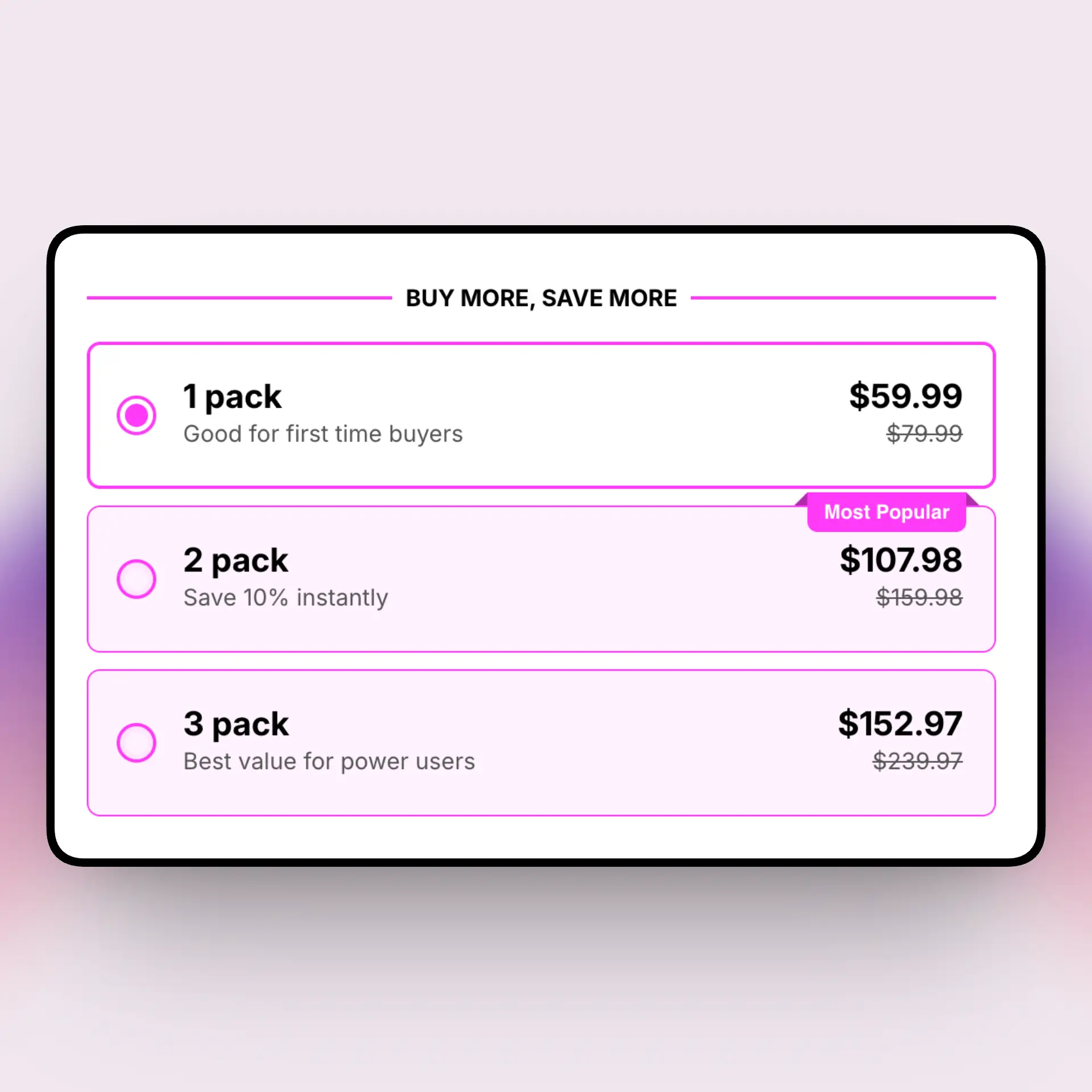
A volume discount drops the per-unit price when a shopper buys more of the same product. Instead of one flat price, the product page shows a few price tiers, and the cost per unit falls as the quantity climbs. Shoppers see the savings before they add to cart, so they have a clear reason to size up.
A typical Shopify volume discount looks like this:
- 1 unit — $20 each (regular price)
- 2 units — $18 each (10% off)
- 3 units — $16 each (20% off)
- 5+ units — $14 each (30% off, best value)
People also call these bulk discounts, tiered pricing, quantity discounts, quantity price breaks, or quantity breaks — it's the buy more, save more model under different names. Shopify merchants use them to lift average order value, move more units per order, and reward bulk buyers, all without coupon codes at checkout. They work for DTC brands selling everyday consumables and for wholesale buyers ordering by the case.
Volume discounts pull a few levers at once:
- Higher AOV. A clear "buy 3, save 20%" nudge gets shoppers to add a unit or two they might have skipped.
- Lower cost per order. When a shopper buys three units in one go, you pay one shipping and fulfillment cost instead of three.
- Repeat-buy products. For things people reorder, like supplements, coffee, or skincare, stocking up means they buy from you again sooner.
Volume discounts vs quantity breaks vs tiered pricing
These three terms get mixed up a lot. They overlap, but they are not identical. Here is the plain-English breakdown so you set up the right one.
| Type | How it works | Best for |
|---|---|---|
| Volume discount | Buy more of one SKU, save more per unit. Often used for B2B and wholesale, and sometimes applied cart-wide. | DTC consumables, wholesale, case packs |
| Quantity break | The same buy-more-save-more idea on a single SKU, shown as a tier table on the product page. | Product-page upsells, single-product AOV |
| Tiered pricing | Total cart spend triggers the discount, like spend $100 get 10% off, no matter which items. | Cart-wide goals, free-shipping thresholds |
In short, a volume discount and a quantity break are the same offer with two names. The real split is cart-spend tiered pricing, which keys off order value instead of unit count. Want the deeper version? Read our Shopify quantity breaks guide.
How to add volume discounts on Shopify
- Install the app. Add Oxify Quantity Breaks & BYOB from the Shopify App Store. It connects in one click and adds the volume discount block to your product template.
- Set your tiers. Choose a layout, then set tiers like Buy 2 save 10%, Buy 3 save 20%, Buy 5 save 30%. Pick percentage, fixed amount, or fixed price, and tag your "best value" tier.
- Assign to products or collections. Apply the offer to one product, a few SKUs, or whole collections, so a single rule can cover many products at once.
- Publish and track. Save and the widget goes live instantly. Watch conversion rate, units per order, and AOV in the built-in analytics.
One thing to know up front: native Shopify can apply discounts at checkout, but it cannot show a tiered volume pricing table on the product page. That product-page display is where volume discounts earn their AOV lift, because shoppers see the savings before they decide. A volume discount app fills that gap without touching your theme code.
A few quick tips once you are live. Keep your tiers simple, three or four steps is plenty, since too many choices stall the decision. Make the savings obvious with a percent-off label and a "best value" tag on your target tier. And give it a couple of weeks before you judge results, so you have enough orders to read the trend instead of one good day.
Volume discounts for B2B & wholesale
Wholesale & quantity breaks go hand in hand: volume discounts are a natural fit for B2B and wholesale, because business buyers order in larger quantities. You can build bigger tiers for bulk orders, like Buy 12 save 15% or Buy 48 save 25%, so your best customers get rewarded for stocking up.
Two ways merchants tailor volume pricing for business buyers:
- Customer tags. Show special wholesale pricing to tagged accounts, so retail shoppers and business buyers see different tiers.
- Larger-order tiers. Add high-quantity tiers built for case packs and pallets, on top of your standard DTC tiers.
Picking the right tool depends on your mix. If your store is mostly wholesale and you need tag-based pricing, market rules, and discount stacking, Pareto is the B2B-focused alternative. If you sell DTC and want volume discounts plus bundles, BOGO, and free gifts in one app, Oxify covers that side. See how they line up in our Oxify vs Pareto comparison.
Best app for Shopify volume discounts
Oxify Quantity Breaks & BYOB is $14.99/month (or $129.99/year) with a 14-day free trial — one plan with every feature included and no revenue or order cap. Rated 4.9★ on the Shopify App Store.
Oxify Quantity Breaks & BYOB is a Built for Shopify app that bundles volume discounts, BOGO, mix & match, Build Your Own Box, free gifts, and A/B testing into one install. For volume discounts specifically, the flat price matters: a store scaling its bulk orders pays the same $14.99 a month (about $10.83 on annual billing) as one just starting out.
- Oxify — $14.99/mo or $129.99/yr. One plan, every feature, no revenue cap. 14-day free trial.
- Kaching Bundles — from $14.99/mo. Starter capped at $1,000 extra revenue; Scale $29.99, Pro $59.99. Free on dev stores only.
- Pareto — limited free tier, paid from $19.99/mo. B2B and wholesale focus.
- Pumper — free up to $300/mo in bundle revenue. A capped free option for small stores.
Comparing your options? See the full volume discount app comparison on our homepage, or the deep-dive guide to the best Shopify volume discount apps.
Volume discounts on Shopify — quick answers
What is a volume discount on Shopify?
A volume discount lowers the per-unit price when a shopper buys more of the same product. The product page shows price tiers, like buy 2 save 10% or buy 5 save 30%, so savings are clear before checkout.
What is the difference between a volume discount and a quantity break?
They are nearly the same thing. A volume discount is buy-more-save-more on a single product, and quantity break is the term many apps use for that same tiered offer. Cart-spend tiered pricing is the separate setup that triggers off order value.
Can Shopify show volume discounts on the product page without an app?
No. Shopify's native discounts apply at checkout through codes or automatic discounts. They cannot show a tiered pricing table on the product page. A volume discount app like Oxify adds that display.
Can you run volume discounts on Shopify for free?
You can start free: Shopify's native automatic discounts cost nothing extra (but show at checkout only), and some apps have capped free tiers. Oxify is $14.99/month (or $129.99/year) with a 14-day free trial, one plan with every feature and no revenue or order cap.
Do volume discounts work for B2B and wholesale?
Yes. Business buyers order in bulk, so you can set bigger tiers for large orders. For tag-based wholesale pricing and market rules, Pareto is the B2B-focused option, while Oxify covers DTC volume discounts and bundles.
Do volume discounts increase average order value?
Yes. Showing tiered volume pricing on the product page typically lifts AOV 18–35%. One Oxify merchant, Go Ayurveda Dhanvantri, reported a 25% AOV increase after about two months.
Add volume discounts to your Shopify store in five minutes.
Tiered and bulk pricing, BOGO, mix-and-match bundles, free gifts, and analytics in one plan. Try it free for 14 days.
$14.99/month after the trial, or $129.99/year. 1-click install. Cancel anytime.