Quantity Break Pricing — How to Set Discount Tiers That Lift AOV
Quantity break pricing is how you set the per-unit discount at each tier so shoppers buy more and your margins stay safe. This guide covers the per-tier formula, how many tiers to use, the discounts that work, and what the Oxify Quantity Breaks & BYOB app costs to run them: one flat $14.99/month plan.
Built for Shopify · 4.9 ★ rating · $14.99/mo after a 14-day free trial · 1-click install
- Per-tier formula
- How many tiers
- Discount ladders
- Margin-safe rules
- App pricing
- Worked examples
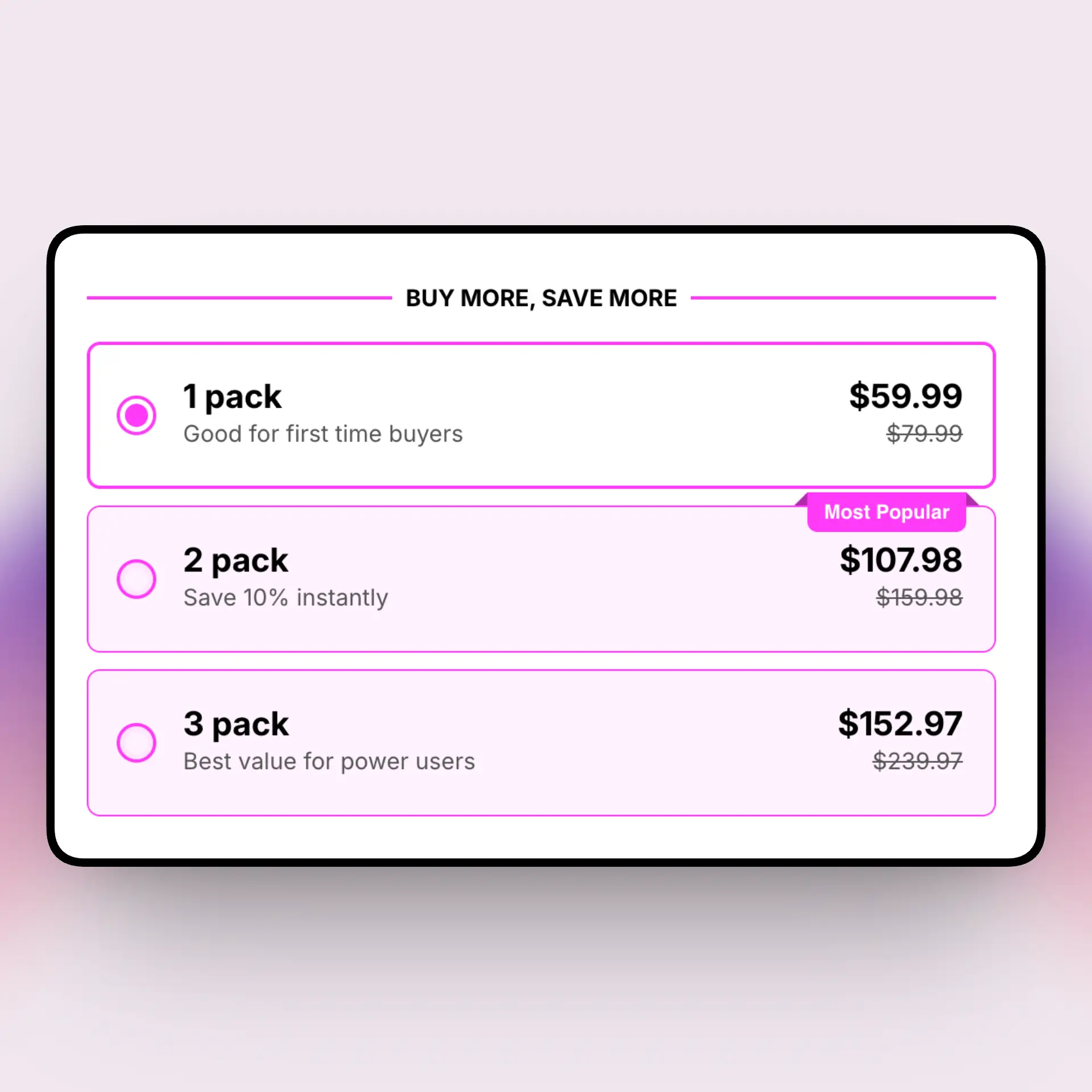
Reported range once tiered pricing is visible on the product page.
Or $129.99/year. One plan, every feature, 14-day free trial.
Quick answer: How do you price quantity break tiers?
The formula: tier price per unit = base price × (1 − tier discount %). A $20 product at 20% off is $16 per unit at that tier.
The break-even rule: a discounted tier beats one full-price sale when the tier quantity is greater than margin ÷ (margin − discount). At a 40% margin with a 20% discount, the tier needs 3 or more units to be worth running.
- How many tiers: three or four. Fewer gives no reason to trade up; more causes decision paralysis.
- Discount ramp: start small (5–10%) and grow to 25–30% at the top tier.
- Margin floor: keep the deepest tier at least 15 points below true contribution margin (price minus COGS, shipping, packaging and payment fees).
- When to skip it: true margin under about 25%, or products customers only ever need one of.
What is quantity break pricing?
Quantity break pricing is a tiered pricing strategy where the per-unit price drops as the shopper buys more of the same product. Instead of one flat price, the product page shows a short ladder of tiers, and each tier carries a bigger discount than the one below it.
The goal is simple. You give a small reward for buying two, a bigger reward for buying three, and the best reward for buying five or more. Shoppers see the savings before they decide, so more of them size up their order. That is what pushes average order value higher.
People also call this volume discount pricing, tiered pricing, bulk discounts, quantity discounts, or setting price breaks for quantity — the classic buy-more-save-more model. The pricing strategy and the discount tiers are two parts of the same job: pick a base price, then decide how much to take off at each step up.
There are two questions tucked inside "quantity break pricing." The first is how to set the discount on each tier so it lifts your average order value. The second is what the tool you use to run those tiers actually costs you each month. This guide answers both. The rest of the page walks through the math, the ladders, the margin rules, and the Oxify app's plans. For the wider playbook on selling more per order, see how to increase sales with quantity breaks, or start with the basics on Shopify quantity breaks.
The quantity break pricing formula
Every tier price comes from one simple formula. You start with your base price and take off the tier discount. Here it is:
Let's work a real example. Say your base price is $20 and you want a 20% discount on the 3-unit tier. Plug it in:
- Base price — $20.00 per unit
- Tier discount — 20% off
- Tier price per unit — $20 × (1 − 0.20) = $16.00 each
- 3-unit cart total — 3 × $16 = $48.00
So the shopper pays $48 for three units instead of $60 at the flat price. They save $12 and you sell three units in one order instead of one. The app does this math for every tier and shows the per-unit price, the total savings, and a best-value badge on the product page. No spreadsheet needed.
You can express the same tier three ways inside the app, and they all land on the same number. A percentage (20% off), a fixed amount off ($4 off each unit), or a fixed price ($16 each) all give you $16 per unit on a $20 base. Percentages are easiest to manage across many products, since one rule scales no matter the base price. Use a fixed price when you want a clean, round number on the page that's easy for shoppers to remember.
How many tiers and how much to discount
For most stores, 3 to 4 tiers is the sweet spot. With too few tiers, shoppers have little reason to buy more. With too many, they freeze and skip the choice. Keep the ladder short and easy to scan.
A reliable ladder looks like this:
- Buy 2, save 10%. A small nudge to size up from a single unit.
- Buy 3, save 15–20%. Your "most popular" tier — mark it as best value.
- Buy 5, save 25–30%. The bulk tier for your heaviest buyers.
Start the first tier small, around 5–10%, then grow the discount as the quantity climbs. The jump between tiers should feel worth it. Here are three sample ladders you can copy, based on a $20 base price:
| Tier | Conservative | Balanced | Aggressive |
|---|---|---|---|
| Buy 1 | $20.00 (0%) | $20.00 (0%) | $20.00 (0%) |
| Buy 2 | $19.00 (5%) | $18.00 (10%) | $17.00 (15%) |
| Buy 3 | $18.00 (10%) | $16.00 (20%) | $15.00 (25%) |
| Buy 5+ | $17.00 (15%) | $14.00 (30%) | $13.00 (35%) |
Pick the column that fits your margins. High-margin products can run the aggressive ladder. Thin-margin products should stay closer to conservative. Want the step-by-step build inside the app? See how to set up quantity breaks on Shopify.
Margin-safe quantity break pricing
A discount only works if you still make money. Before you set any tier, find your margin floor — the lowest per-unit price you can sell at and still profit after cost of goods, payment fees, and shipping. No tier should ever drop below that floor.
Three rules keep your pricing safe:
- Never discount below your margin floor. If a tier dips under your break-even price, you lose money on every extra unit. Cap the deepest tier above that line.
- Protect contribution margin, not just revenue. Contribution margin is price minus the variable cost of one unit. A lower per-unit margin can still win, because the buyer takes more units and your total profit per order goes up.
- Go deeper only where volume covers it. Reserve the steepest discounts for tiers where the extra units clearly make up for the smaller margin each. If they don't, pull the discount back.
Quick check: with the $20 product above, if your unit cost is $11, your contribution at the flat price is $9. At the $14 bulk tier (30% off), contribution drops to $3 per unit — but a 5-unit order gives you $15 total, more than the $9 from a single sale. That's the trade you want. If a tier ever fails that test, raise the tier price or remove it.
What the Oxify app costs
Your tiers set what shoppers pay; the app is a fixed cost on top. Oxify Quantity Breaks & BYOB is $14.99/month (or $129.99/year) with a 14-day free trial — one plan, every feature, no revenue or order cap, rated 4.9★ on the Shopify App Store. Because the fee is flat, it doesn't eat into the extra margin your tiers generate as volume grows. Here is how that compares to what the other quantity break apps charge:
| App | Entry price | Free tier | How the price scales |
|---|---|---|---|
| Oxify Quantity Breaks & BYOB | $14.99/mo ($129.99/yr) | No — 14-day free trial | Flat — one plan, no revenue or order cap |
| Kaching Bundles | $14.99/mo | Dev stores only | Starter covers up to $1,000 extra revenue; then $29.99 and $59.99 tiers |
| Pareto Quantity Breaks | $19.99/mo | Limited | Capped by orders |
| Pumper Bundles | $15/mo | Yes | Free up to $300/mo in bundle revenue |
| Typical alternative | $9.99–$29/mo | Sometimes | Advanced features on the top tier |
Competitor prices are the publicly listed entry prices at the time of writing and can change — check each App Store listing before you decide. The point of the table is simpler than the numbers: with Oxify there is no tier to outgrow, so the pricing decision you actually have to make is about your discount tiers, not the app's. If $0 is a hard requirement, a capped free tier or Shopify's native discounts will do the job at small volumes. See the pricing section, or browse more guides on the blog.
Quantity break pricing — quick answers
How do I price quantity break tiers?
Start from your base price and use the formula Tier price per unit = Base price × (1 − Tier discount %). A $20 product at 20% off is $16 per unit. Set deeper discounts on higher quantities, and keep every tier above your margin floor.
How many quantity break tiers should I offer?
Three to four works best. A common ladder is Buy 2 save 10%, Buy 3 save 15–20%, and Buy 5 save 25–30%. Too few gives no reason to buy more; too many makes shoppers freeze.
What discount percentage should each tier use?
Keep the first tier small (5–10%) and grow it as quantity rises, up to about 25–30% at the top tier. Only go deeper where the extra volume covers the smaller per-unit margin.
How do I keep pricing margin-safe?
Set a margin floor — the lowest price you can sell at and still profit after cost, fees, and shipping. Keep every tier above it. Buyers take more units, so total contribution per order can rise even at a lower per-unit margin.
How much does the Oxify app cost?
Oxify Quantity Breaks & BYOB is $14.99/month (or $129.99/year) with a 14-day free trial — one plan with every feature included and no revenue or order cap. There is no free plan, but the price does not rise as your bundle revenue grows.
Do quantity breaks raise average order value?
Yes. Tiered pricing on the product page typically lifts AOV 18–35%. One Oxify merchant, Go Ayurveda Dhanvantri, reported a 25% AOV increase after about two months.
Set margin-safe quantity break pricing in five minutes.
Build your tiers, let the app handle the per-unit math, and watch AOV climb. Try every feature free for 14 days.
14-day free trial, then $14.99/mo. 1-click Shopify install. Cancel anytime.